
Meal planning with Kroger
Kroger meal planning: dinners to a cart you review
Plan this week’s dinners and get a grocery list with just the items you need. Pantry Aide Pro matches the list to products at your selected Kroger store. Review products and quantities, explicitly confirm before adding them to your cart, and finish checkout in Kroger.
Updated October 8, 2026
Meal planning should not stop at a list
A list is useful in a store, but online grocery shopping adds another repetitive step: searching for each item, choosing a product, and setting quantities. Pantry Aide Pro helps with that last mile by matching meal-plan ingredients to products at a selected Kroger location.
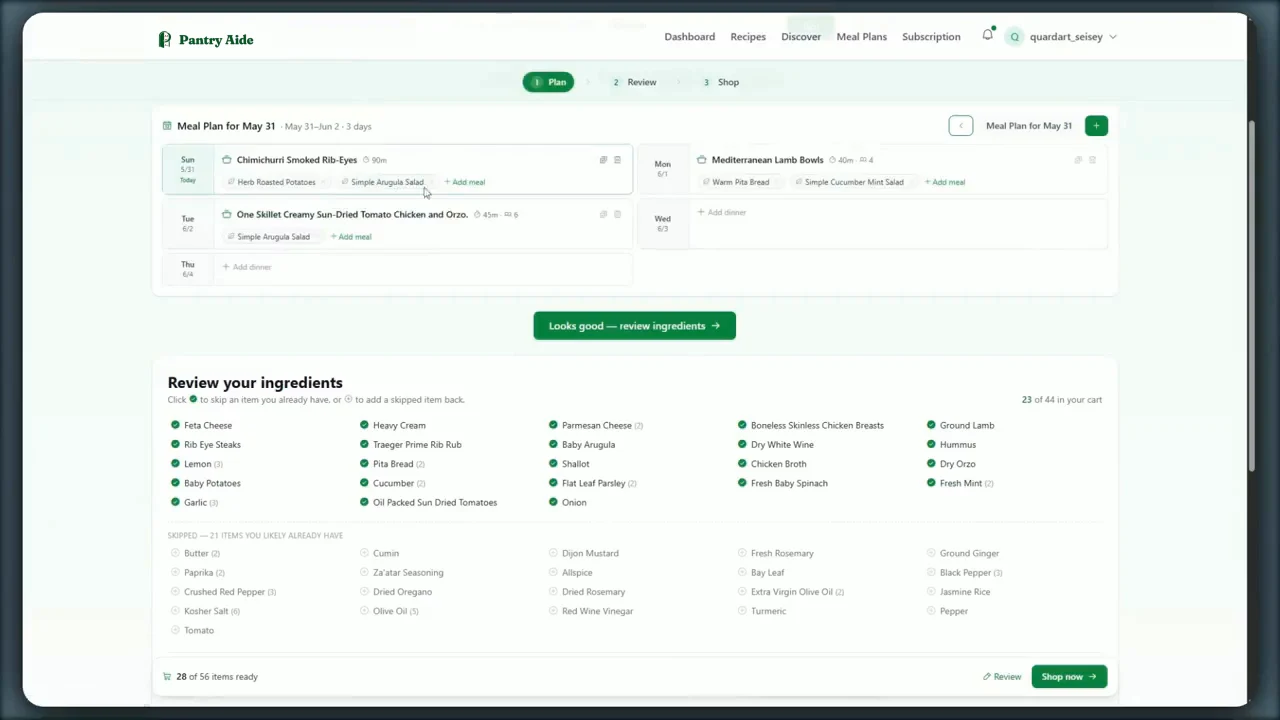
How the Kroger workflow works
-
1
Connect your Kroger account
Authorize Pantry Aide through Kroger so it can work with your selected store and cart.
-
2
Approve the weekly meal plan
Generate or assemble the meals and make any changes before shopping.
-
3
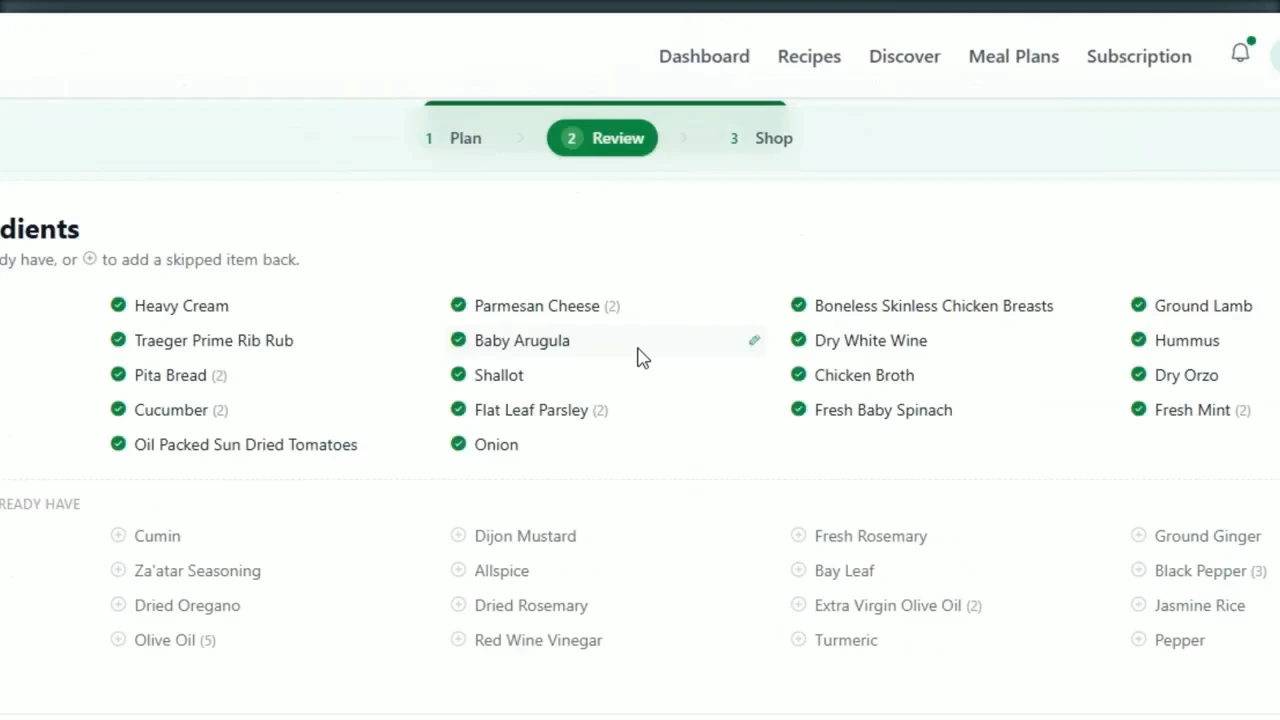
Build and clean up the list
Remove pantry items, fix quantities, and add non-recipe groceries.
-
4
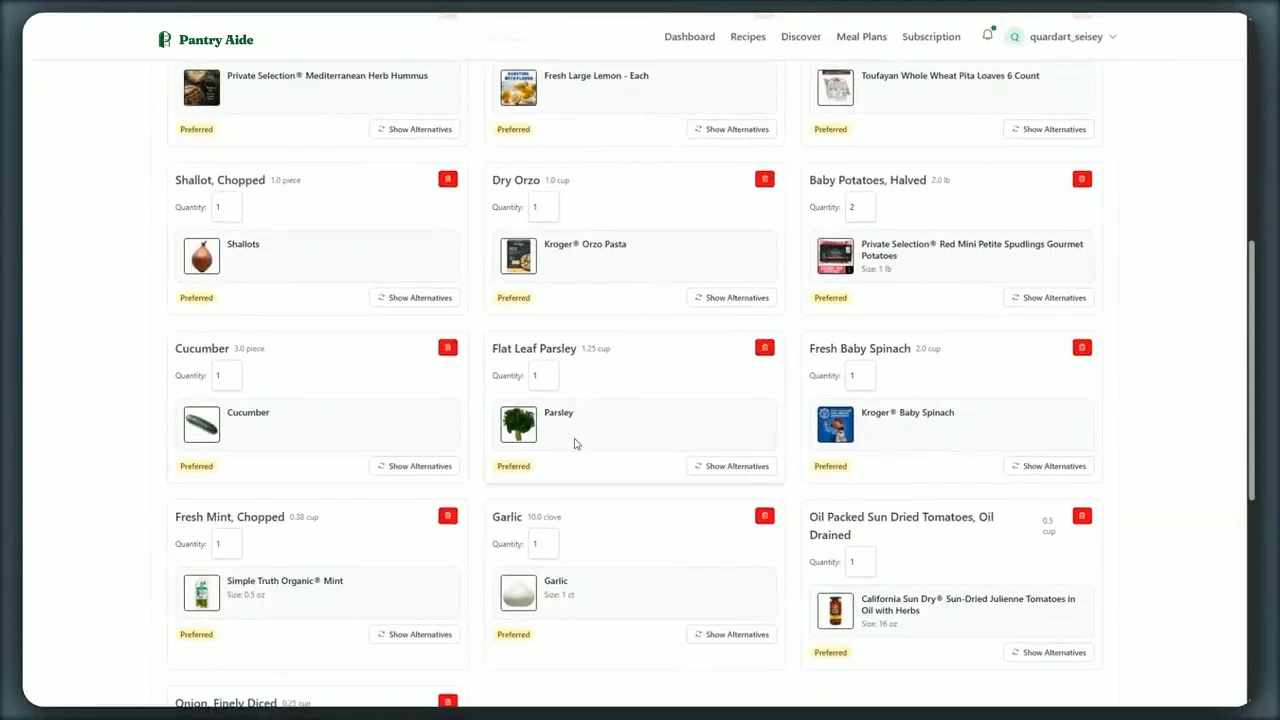
Prepare Kroger product matches
Pantry Aide searches the selected store and proposes products for the ingredients on the list.
-
5
Review, correct, and confirm
Inspect products and quantities. Change questionable matches before explicitly submitting the cart.
Why the review step matters
Ingredient names are not universal product identifiers. “Fajita strips,” “potatoes,” or a preferred brand can produce multiple plausible results. A trustworthy grocery workflow should make uncertain matches visible rather than pretending they are always correct.
Pantry Aide never needs to turn convenience into a surprise order. Preparing matches and submitting the cart are separate steps, and checkout still happens through Kroger.
What is included in Pantry Aide Pro
- ✓Kroger product matching and cart preparation.
- ✓Up to 30 AI meal plans per month.
- ✓Photo recipe extraction, subject to the monthly allowance.
- ✓Everything available in the free plan, including shopping lists and Instacart links.
Prefer Instacart instead?
Instacart links remain available on the free plan. This gives households a useful plan-to-shop workflow even when Kroger is not their preferred retailer.
Frequently asked questions
- Can Pantry Aide add my meal-plan groceries to Kroger?
- Pantry Aide Pro can match list items to products at your selected Kroger store and prepare the cart. You review and explicitly confirm it before submission.
- Does Pantry Aide place the Kroger order automatically?
- No. Pantry Aide prepares and submits the cart only after confirmation. Final checkout and payment remain in Kroger.
- Can I change a bad product match?
- Yes. The workflow lets you review proposed products and select alternatives before submitting the cart.
- How much is Kroger-cart automation?
- Kroger-cart preparation is included in Pantry Aide Pro, currently $3.99 per month or $39.99 per year after a seven-day trial.